Web design blog & guides

Practical advice on affordable bespoke websites, SEO and getting online — written for businesses, individuals and organisations who want clear guidance, not sales patter.

Local SEO and national reach

Not every client comes from round the corner — but for many businesses, individuals and organisations, local search still matters. The right setup helps you show up in your area and, where it applies, reach people across the UK without relying on paid ads alone.

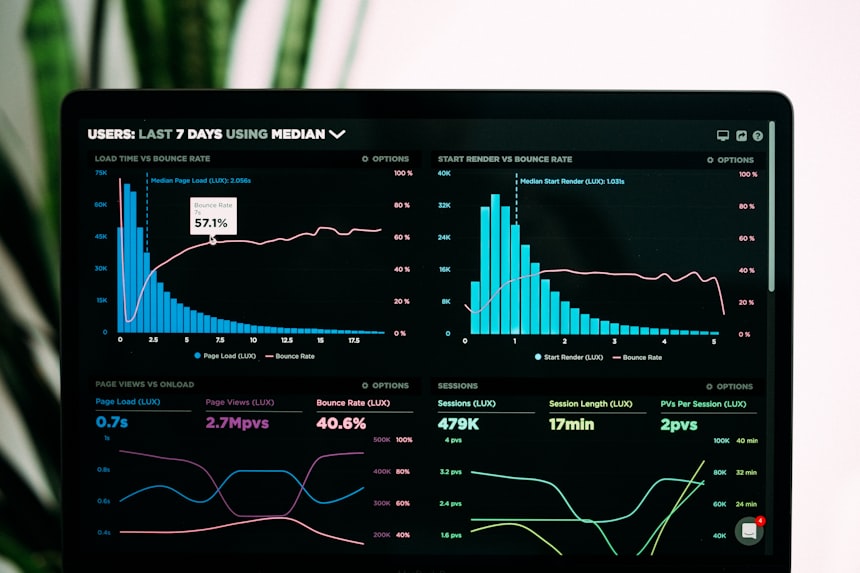
Analytics dashboard showing local and national search performance data

Something Clicked is based in Kent and works with clients throughout Kent, Surrey and Sussex — but also UK-wide, through online meetings and remote delivery. Your SEO approach should reflect how you actually work: strongly local, fully national, or a mix of both.

When local search matters

Local SEO is about appearing when someone searches for what you do in a particular place — “web design Canterbury”, “yoga teacher Sevenoaks”, “charity website Surrey”, and so on. It covers what is on your website, how the site is built, and what appears elsewhere online, including your Google Business Profile where you have a physical or service-area presence.

Competition varies from town to town, but the principles hold: say clearly what you offer, where you work, and make it easy for someone to get in touch. That applies whether you are a tradesperson, a freelancer, a community organisation or a larger company.

Reaching people across the UK

If you serve clients nationally — or your location is irrelevant to how you work — your site still needs clear service pages, strong page titles, and content that matches what people search for. You may not need dozens of town pages, but you do need pages that explain what you do and who you help, written in plain language your audience would actually use.

Many clients we work with combine both: location pages for Kent, Surrey and Sussex, plus broader service content for UK-wide enquiries. The site structure should support that without feeling duplicated or vague.

Start with your Google Business Profile

If local visibility matters to you, claim your Google Business Profile and complete it properly — name, address or service area, phone number, hours, and accurate categories. Add recent photos. Reply to reviews politely. And make sure your details match your website. Inconsistent addresses or phone numbers create doubt for visitors and search engines alike.

Location pages that actually help

Town or county pages work when each one says something useful. Copy-pasting the same paragraph and swapping the place name rarely ranks and rarely convinces. Write about how you serve that area, include genuine local detail where you have it, and finish with a clear next step. If you do not cover every town in a county, say so — it saves everyone time.

The on-page basics

  • Page titles and meta descriptions that reflect your service — and location, where relevant — without sounding forced
  • One clear H1 per page, with sensible subheadings beneath it
  • Fast, mobile-friendly pages with contact details easy to find
  • Structured data on your contact page where appropriate (for example LocalBusiness markup)
  • Links between related service pages and location pages on your site

Reviews and listings

Ask satisfied clients, customers or members if they would leave a Google review — it helps local trust. Accurate listings on reputable directories can reinforce your name and contact details, but a few reliable entries beat a long list of questionable ones.

Search visibility builds gradually, whether you are targeting a home county or the wider UK. A well-built website gives you the structure to do this properly from the start, rather than patching things on later.

Local SEO National reach Kent Surrey Sussex

Discuss SEO for your website

When to redesign your website (and when to wait)

A new website is a proper expense, so it is worth knowing when a full rebuild makes sense — and when you are better off updating what you already have.

Developer working on a website redesign at a laptop

Most owners know their site looks tired long before they do anything about it. Others jump too soon — ripping out a site that still brings in work because the design feels out of date. Whether you need a full redesign usually comes down to how well the current site is doing its job.

When a full redesign is probably worth it

  • It does not work on mobile. If the layout falls apart on a phone, the text is fiddly to read, or buttons are hard to tap, you are almost certainly losing enquiries. Responsive design is standard now, not a nice extra.
  • Enquiries have dropped off. Steady traffic but fewer form submissions or phone calls often points to muddled messaging, weak calls to action, or content that no longer matches what you actually offer.
  • Simple updates are a pain. Needing a developer to change a paragraph or swap a photo suggests the site is built on something inflexible or outdated.
  • Speed or security is a worry. Old platforms, abandoned plugins, or cheap hosting can slow pages down and create risks you do not need.
  • Your business has moved on. A rebrand, new services, or a different type of customer often means your website needs to catch up.

When a lighter touch might do

If the structure is sound and the content still makes sense, a visual refresh — new fonts, colours, photos and spacing — can make a big difference without starting from scratch. Sometimes improving a handful of key pages or simplifying the contact journey is enough to bring enquiries back.

Worth asking before you sign off

  1. What problem is this redesign actually meant to fix?
  2. Which pages bring in work now, and what happens to them?
  3. Are you keeping the same URLs so you do not lose search rankings?
  4. Who looks after the site once it is live?

A redesign should make the site clearer, quicker and easier to use — not just prettier. If every small change on your current site turns into a headache, a clean rebuild often works out cheaper than years of patching.

Redesign Strategy UX

Request a redesign consultation

SEO basics for small business websites

SEO sounds technical, but for most small businesses it comes down to a handful of sensible habits — the kind that keep working long after your site goes live.

Analytics dashboard showing search and website performance metrics

At its core, SEO is about making it obvious to search engines — and to visitors — what each page is about. You do not need to obsess over every Google update. Get the basics right and you have something solid to build on.

Write for real people first

Each important page should stick to one topic. Give it a clear H1, then break the content into sections with headings that describe what follows. Do not shoehorn keywords in where they sound unnatural — write the way your customers actually talk about your services.

Titles and descriptions

Every page needs its own title tag and meta description. The title should say what you do, and mention location if that is relevant. The description is your chance to summarise the page in a way that makes someone want to click. These will not magically put you on page one, but they do affect whether people click when they see you in the results.

Speed and mobile

Google prefers sites that load quickly and work properly on phones. Compress your images, avoid loading scripts you do not need, and check the site on an actual mobile — not just by shrinking your browser window. A lean bespoke build usually outperforms a bloated theme packed with features you never asked for.

A practical checklist

  • Alt text on images that matter (not decorative filler on every icon)
  • Readable URLs (e.g. /locations/canterbury.html rather than random strings)
  • An XML sitemap submitted in Google Search Console
  • HTTPS across the whole site
  • Links between related pages on your site
  • A contact page with consistent name, address and phone details

Content that builds trust

Your service pages should explain what you do, who you help, and what to do next. Case studies, FAQs and articles like this one all give search engines — and potential customers — a clearer picture of your business. Thin pages with the same text repeated across dozens of URLs rarely perform well.

We build sites with this structure in mind from the outset, so SEO is part of the project rather than something tacked on at the end with a separate invoice.

SEO Small business Performance

Why choose Something Clicked?

Bespoke websites vs templates: which is right for you?

Many agencies and DIY website builders offer template sites — pre-designed layouts where your content is fitted in around an existing structure. At Something Clicked, we work differently. Each website we create is designed and built individually, around the business it is meant to represent.

Web designer reviewing bespoke website layout options on screen

Templates have their place. They are quick to launch and relatively inexpensive to start with, which may suit a simple information page or a short-term need. Where they tend to fall short is anything that asks more of a website: presenting your brand with confidence, guiding visitors towards enquiry, or holding your ground in search results over time.

Why we do not use templates

A template is built for a general audience — which, in practice, often means it suits no particular business especially well. The layout, navigation and page structure were decided long before your requirements were considered. We prefer to begin with your objectives: who you serve, what you offer, and what the site needs to achieve. The design and build follow from there.

The value of a site built around your business

A tailored website is not only a question of how it looks. It shapes how people experience your business online:

  • Brand presentation. Typography, colour, imagery and layout reflect your identity — not a shared theme used by thousands of other companies.
  • Structure that converts. Pages are organised so your services are easy to grasp and getting in touch is straightforward.
  • Performance. Lean, purpose-built code generally loads faster than feature-heavy themes carrying functionality you will never use.
  • Search readiness. Headings, page hierarchy and content can be planned properly from the start, rather than squeezed into a template’s defaults.
  • Ownership. You receive a site you own outright — without platform subscriptions or proprietary systems that limit what you can change later.

For trades, professional services, retail, hospitality and other enquiry-led businesses, these are practical advantages. They influence whether a visitor trusts what they see, stays on the page, and makes contact.

Bespoke need not mean costly

Custom-built websites are often assumed to come with a higher price tag. That is not always the case. Template platforms can look inexpensive at first glance, yet monthly fees, paid add-ons and upgrade costs mount up over the years. An independently built site — priced fairly for the work involved — can compare very well, particularly when set against long-term dependence on a third-party platform.

It is worth asking whether you need a modest information page or a website your business will rely on for years to come. Where the latter applies, a bespoke build is frequently the sounder choice — and the cost may be more manageable than you expect.

Bespoke Templates Web design

View example websites

What to look for from a web designer

Choosing a web designer is not simply a question of who has the most impressive portfolio. What matters is finding someone who listens properly, explains things in plain terms, and delivers a website suited to your business — one that helps turn visitors into enquiries.

Design team collaborating on a website project around a laptop

For the length of the project, your designer should feel like part of the team — someone who replies promptly, tells you what is going on, and cares about results rather than jargon. Before you commit, make sure you understand how they work and exactly what you are getting at the end.

Questions to ask early on

  • Will the site be built from scratch, or based on a template?
  • Who owns the website, domain and code when it is finished?
  • How will mobile performance, accessibility and SEO be handled?
  • What are the steps from first conversation to launch?
  • What support is available afterwards — updates and maintenance?
  • Can they show you examples of their work that is appealing to you?

Plain English beats buzzwords

A good designer will tell you straight what is included, what costs extra, and roughly how long things take. Be cautious of vague promises like “page one on Google” with no explanation of how, or quotes that leave out content, photography or hosting and then surprise you later.

Process matters as much as portfolio

A visually appealing portfolio of work does not necessarily guarantee a smooth project. Ask how many design options you will see, how feedback rounds work, and who you will actually be speaking to. For smaller businesses especially, dealing directly with the person building the site — rather than being passed between account managers — tends to mean fewer mix-ups and a better result.

Think about after launch

Your website will need updating from time to time — new photos, revised prices, an extra service. Ask how those changes are handled. Most small business sites do not need a full content management system; what matters is that straightforward edits can be turned around quickly, without disturbing the design of the site. Make sure you own the site outright and are not locked into a platform where every small change comes with a hefty bill. The best outcome is a site built to last — and a designer you would happily call again when your business moves on.

Web design Hiring Project planning

Talk about your project